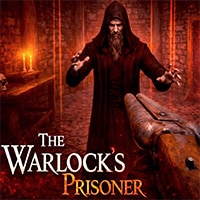
 The Warlock’s Prisoner Game: The darkness in the warlock’s lair isn’t empty—it watches. It waits. You open your eyes to find yourself in a world of jagged stone and whispered secrets, a prisoner in a fortress of despair. To survive, you must become a phantom in the corridors, solving ancient, arcane puzzles that twist reality itself. You’ll scavenge for any tool or trinket in The Warlock’s Prisoner Game that might mean the difference between life and worse than death. Steel yourself for desperate battles against monsters, and dare to gaze into the Mysterious Looking Glass. A portal to secrets that could either illuminate your path to freedom or shatter your sanity. The lair is a character in itself—a labyrinth of tension and terror. Will you conquer its darkness, or will your story end here, swallowed by the silence?
Key Features of The Warlock’s Prisoner Game:
🕯️ Survival Horror Atmosphere – Navigate a dark, treacherous lair where tension and scarce resources test your every move.
🧩 Clever Puzzles – Solve intricate environmental puzzles to unlock paths and uncover hidden secrets.
⚔️ Brutal Combat – Battle horrors in intense, tactical fights where every decision matters.
🪞 Mysterious Looking Glass – Peer into a spectral realm to reveal hidden truths in The Warlock’s Prisoner Game, but beware—some visions come with a price.
🔍 Exploration & Lore – Scavenge for items and uncover a dark story woven into the lair’s shadows.
🎮 Multiple Endings – Your choices in The Warlock’s Prisoner determine whether you escape… or remain a prisoner forever.
Will you outsmart the darkness, or become a prisoner of it forever?
Also make sure to check Escape The Nightmare Game, you may enjoy playing it.
The gameplay video is available on YouTube: